Latest News
 Saturday, January 25, 2025
Revolutionizing MS-Access Migrations with AI
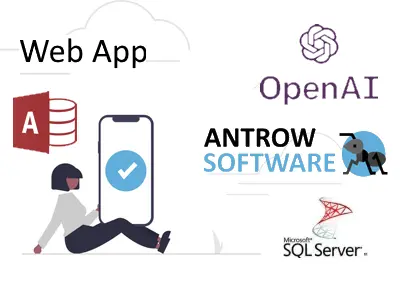
At Antrow Software, we’ve embraced the power of ChatGPT and Microsoft Copilot to bring faster, smarter, and more cost-effective solutions for migrating MS-Access databases to Web Apps and cloud platforms.
Here’s how AI is transforming the migration process:
- Lower Costs: Automation has significantly reduced development time, saving you money.
- Faster Results: Complex migrations are now completed in record time, minimizing delays.
- Improved Quality: AI ensures optimized, error-free solutions tailored to your unique needs.
- Focus on You: With smarter tools handling technical tasks, we can deliver a Web App that fits your business perfectly.
What’s in it for You?
By combining AI with our expertise, we’ve made it easier and more affordable to move your MS-Access databases to the cloud or Web App platforms like AWS or Azure. The result? Seamless access to your data and applications from anywhere, on any device.
In 2025, we look forward to continuing to provide innovative solutions to keep your business ahead.
Contact us today to learn how we can help you modernize your applications.
Visit antrow.com
Tags:
#MSAccess #DatabaseMigration #WebApp #CloudSolutions #ChatGPT #MicrosoftCopilot #AntrowSoftware #Innovatio
Customer stories
Tuesday, October 3, 2023Author: Antrow SoftwareIn today's rapidly evolving business landscape, the shift from legacy MS-Access databases to dynamic web applications is no longer a choice; it's a strategic imperative. When it comes to choosing the right partner for this transformation, Antrow Software emerges as the undeniable leader. In this SEO blog post, we'll explore why Antrow Software is the go-to company for migrating MS-Access to database-driven web apps and how this decision can elevate your business to new heights.
1. Unrivaled Expertise in MS-Access Migration
Antrow Software boasts a track record of excellence in migrating MS-Access databases to web applications. Here's why they stand out:
a. Seamlessness: Antrow Software ensures a smooth transition, preserving your data integrity and workflow efficiency. Your operations continue without interruption.
b. Tailored Solutions: Recognizing that each business is unique, Antrow Software customizes solutions to match your specific needs, aligning seamlessly with your established processes.
c. Real-Time Collaboration: Their web apps enable real-time collaboration, regardless of geographical boundaries, a boon in today's remote work landscape.
d. Scalability: As your business grows, so do your data management needs. Antrow Software's solutions scale effortlessly, adapting to evolving requirements.
e. Robust Security In a world of increasing cyber threats, Antrow Software prioritizes data security, integrating advanced measures to protect your sensitive information.
2. Expertise in Website Database Applications
Antrow Software doesn't stop at MS-Access migration; they excel in crafting website database applications. Here's how this expertise benefits your business:
a. Enhanced Customer Experience: Antrow Software empowers you to provide clients with real-time access to information and services, elevating satisfaction and fostering loyalty.
b. Operational Efficiency: Web-based database applications streamline internal processes, reducing manual work and improving data accuracy.
c. Cloud-Enabled: Hosting applications in the cloud eliminates the need for on-premises servers, resulting in cost savings and enhanced scalability.
3. SEO Excellence
Choosing Antrow Software not only enhances your technical capabilities but also gives your online presence a boost:
a. Improved Website Performance: Web applications enhance user experience, leading to lower bounce rates and extended session durations—factors Google considers when ranking websites.
b. Mobile Responsiveness: Web apps are inherently mobile-friendly, a key SEO ranking factor, as Google prioritizes mobile-friendly websites in search results.
c. Dynamic Content: Web applications often include dynamic content, favored by search engines as they tend to rank websites higher that regularly update their content.
4. Customer-Centric Approach
Antrow Software is dedicated to client satisfaction, building lasting partnerships. Their client-centric approach ensures your unique requirements are not only met but consistently exceeded. In conclusion, Antrow Software is your ideal partner for migrating MS-Access to database-driven web apps. Their expertise, commitment to security, and focus on enhancing your online presence make them the preferred choice for businesses aiming to excel in the digital age. To experience the Antrow Software difference and unlock the full potential of your data and web applications, contact them today. Join the ranks of satisfied clients who have harnessed the power of Antrow Software's solutions to propel their businesses forward.